Open Source Electronic Signature Software: The Complete Guide for 2026
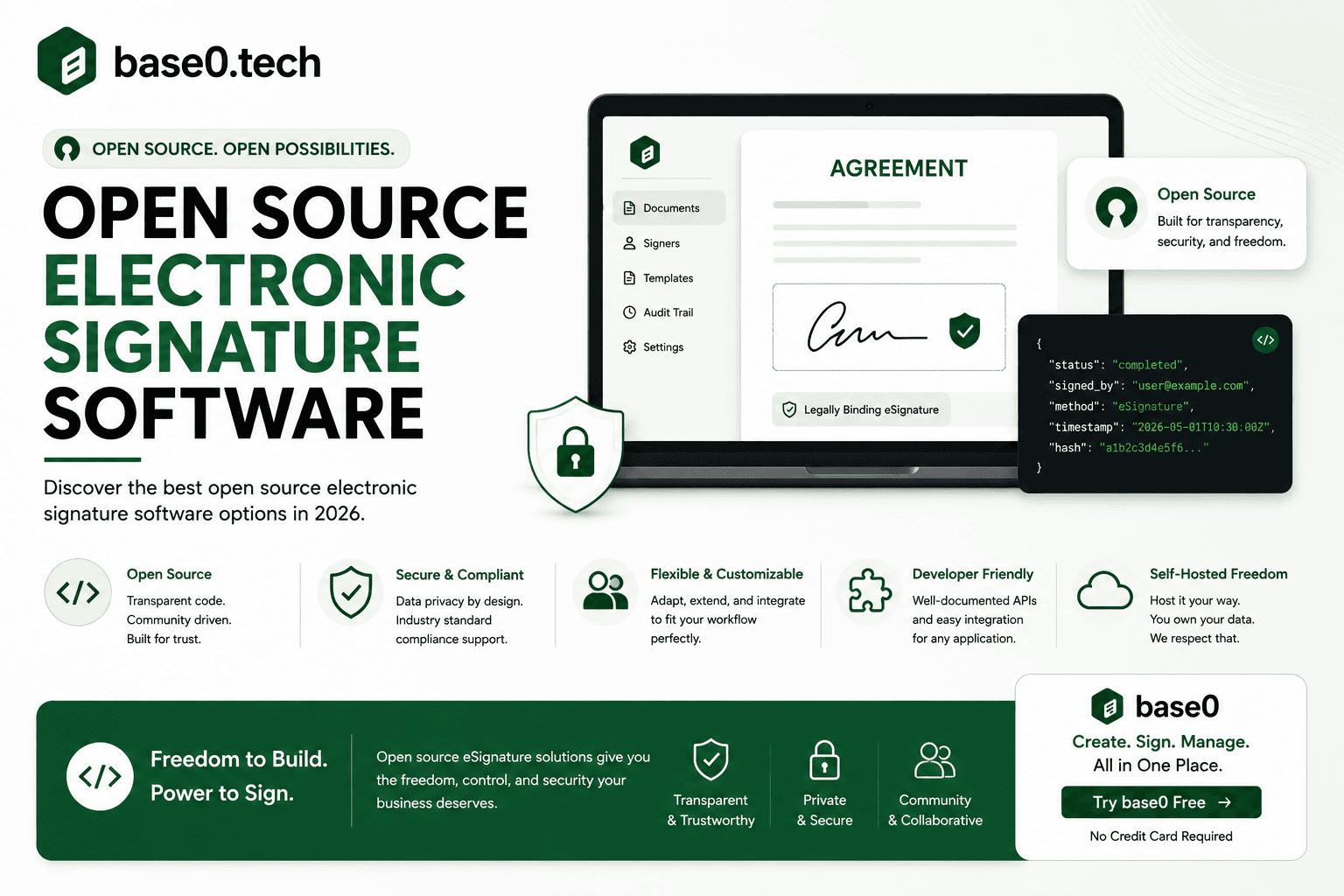
The electronic signature software market has grown rapidly over the past few years, and inside that growth, a specific question keeps coming up in developer Slack channels, small business forums, and startup finance reviews: should we use open source electronic signature software? The appeal is obvious — source code you can inspect, infrastructure you control, and no per-envelope fees eating into your margins. But the real answer is more nuanced than a GitHub star count suggests.
This guide covers what you need to evaluate open source e-signature software honestly: how it works, which tools exist, what they actually cost once you factor in setup and maintenance time, and when a managed solution like Base0 delivers what open source promises — without the operational overhead.
What Is Open Source Electronic Signature Software?
How Electronic Signatures Work Under the Hood
An electronic signature is a digital representation of intent to agree. At the technical layer, most e-signature tools work by capturing a signature event — a drawn signature, a typed name, or a click-to-sign action — and embedding that event into a PDF alongside metadata that ties it to the document content. If anyone modifies the document after signing, that tie breaks, making tampering detectable.
The audit trail is the backbone of the whole process. Every action — document sent, document viewed, signature applied — gets logged with a timestamp and context. That log is what gives an electronic signature its evidentiary weight in a dispute. Without a reliable, tamper-evident audit trail, you have a picture of a signature, not a legally meaningful record.
What Open Source Actually Means for Signature Tools
Open source means the software's source code is publicly available, typically under a license like MIT, Apache 2.0, or AGPL — you can download it, inspect it, modify it, and in most cases self-host it on your own servers. For e-signature software specifically, that gives you visibility into how signatures are generated, how documents are stored, and how audit logs are constructed.
What open source does not mean: free to operate. The code is free. The servers, the maintenance, the security patches, the database backups, the SSL certificates, the email delivery infrastructure, and the hours it takes to keep all of it running — those aren't free. That distinction matters enormously when you're weighing open source e-signature software against a managed product.
Key Standards: eIDAS, ESIGN Act, and Compliance Basics
Two legal frameworks govern electronic signatures across most markets. The U.S. ESIGN Act and UETA establish that electronic signatures carry the same legal weight as handwritten ones for most commercial transactions. The EU's eIDAS regulation creates a tiered system — Simple, Advanced, and Qualified Electronic Signatures — with Qualified requiring a certified trust service provider.
For most business contracts — employment agreements, vendor contracts, NDAs, client proposals — a Simple Electronic Signature with a solid audit trail is sufficient under both frameworks. Where open source tools often fall short isn't the signature mechanism itself but maintaining the documented processes and infrastructure controls that demonstrate compliance if a signature is ever challenged. That burden falls entirely on your team when you self-host.
Top Use Cases People Consider Open Source For
HR and Onboarding Workflows
HR teams and small businesses onboarding new hires or contractors send high volumes of repetitive documents: offer letters, agreements, handbook acknowledgements, direct deposit forms. Per-envelope pricing gets painful fast at that volume, which is exactly why open source looks appealing here — the core use case is simple: upload a PDF, define fields, send, collect the signed copy.
The limitation shows up when you need reliability at scale. Reminders, expiration controls, and audit trails need to work consistently across every document. A self-hosted tool that goes down mid-hiring-sprint, or whose reminder emails land in spam because an SMTP configuration drifted, creates real operational risk.
Legal and Contract-Heavy Small Businesses
Legal teams and businesses that live and die by their contracts care about two things above everything else: enforceability and record integrity. Open source tools can satisfy both in principle, but implementation details matter. The audit trail has to be complete, and the signing process has to be documented well enough to reconstruct in a dispute.
Anyone evaluating an open source tool for this use case should ask specifically: how is the audit log stored, is it separate from the document store, and what happens to those records if the primary database is corrupted? A managed vendor answers those questions with infrastructure documentation. With a self-hosted open source tool, your team answers them — or discovers the gap after something goes wrong.
Developer-Led Product Integrations
Developers building a product often want to embed signing directly — a contract that appears inside the product UI, gets signed without leaving the app, and triggers a webhook that updates a record elsewhere. Open source is genuinely appealing here because you can fork the code and integrate it however you need.
The trade-off is build time versus buy time. Forking a signature tool, customizing it, maintaining it through upstream security patches, and keeping the integration stable as your product evolves is a real, ongoing engineering commitment. For most small teams, a well-documented API from a managed provider ships faster and costs less over a two-year horizon than maintaining a fork.
Leading Open Source Electronic Signature Options
DocuSeal
DocuSeal is one of the most actively maintained open source e-signature projects available today. It supports PDF signing, reusable templates, multi-party signing with defined order, and audit trail generation, available self-hosted under the AGPL license or through a managed cloud version.
Its strengths are a clean UI and an active community. Its limitations include the operational overhead of self-hosting — database, file storage, and email delivery configuration all fall on you — AGPL's implications for commercial use, and the fact that more advanced features like API access are gated behind the paid cloud tier rather than available in the self-hosted version. Our full DocuSeal comparison guide covers this in more depth.
OpenSign
OpenSign is an open source e-signature project built for self-hosting via Docker. It covers the core workflow: upload a document, place fields, send to recipients, collect signatures, download the completed file with an audit trail.
The community edition works for small teams with the technical resources to manage a deployment. The limitations are typical of community-driven projects: documentation gaps, slower security patch cycles compared to commercial vendors, and support that relies on GitHub issues and forums rather than a dedicated response commitment. For teams without in-house technical capacity, the setup and maintenance burden is non-trivial.
"DocuSign Open Source Alternatives"
DocuSign itself isn't open source — it's a commercial SaaS product. But "DocuSign open source alternatives" is one of the most common searches in this space, reflecting real frustration with per-envelope pricing. People searching for this are usually motivated by one of three things: cost control, wanting data to stay under their own control, or simply wanting to inspect the code.
Hidden Costs and Risks of Self-Hosting
Infrastructure and Maintenance Overhead
Self-hosting open source e-signature software requires a server, a database, file storage, an email delivery service, SSL certificate management, and regular backups. Even on a minimal setup, you're looking at a baseline infrastructure cost before a single document gets signed.
Beyond the dollar cost, there's the time cost. Someone needs to own the deployment — applying updates, monitoring uptime, responding to incidents. For a two-person business, that's a real tax on time that could otherwise go toward client work. For anyone without dedicated technical capacity, it's a recurring source of operational risk.
Security and Patch Management
Open source software isn't inherently less secure than proprietary software — public code review often catches vulnerabilities faster. But the security model is different. When a vulnerability is disclosed publicly, attackers know exactly what to look for in unpatched deployments. If your team is slow to apply the fix, that window of exposure is a genuine risk for a system holding executed contracts.
Compliance Gaps
Self-hosting shifts compliance responsibility entirely onto your organization. The open source tool provides the mechanism; you provide the controls, documentation, and evidence of those controls. If a signed contract is ever challenged, you need to produce documentation of your infrastructure, access controls, backup procedures, and audit log integrity — not just the audit log itself. For most small businesses, that's a compliance story they're not equipped to own well.
Calculating the Real Cost
A realistic total cost comparison for self-hosted open source e-signature software should include: infrastructure costs (compute, storage, database), an email delivery service, setup time (often a full day or more depending on complexity), ongoing monthly maintenance time, incident response time when something breaks, and — probably the biggest hidden line item — the opportunity cost of time diverted from client work or product work to keep a signing tool running.
Must-Have Features to Evaluate in Any E-Signature Solution
Audit trails and tamper-evident records — Not optional; it's the foundation of an enforceable signature. Every solution you evaluate should produce a downloadable log recording who was sent the document, when they viewed and signed it, and a timestamp for each event, tied to the document in a way that makes post-signing tampering detectable.
Multi-party signing and sequential routing — Most real contracts involve more than one signer. Your solution needs to handle sequential order — routing to each party correctly and only advancing after the previous signer completes.
API access and integrations — If you're building a product or running a workflow that needs signing embedded programmatically, API access matters. Evaluate any solution on documentation quality, authentication model, and whether webhook events are available for downstream automation.
Mobile responsiveness — Signers aren't always at a desktop. A contractor signing a change order might be on a job site; a new hire accepting an offer letter might be on their phone. Your solution needs to render correctly on any device with a browser — something some self-hosted open source tools handle inconsistently depending on version and configuration.
How Base0 Delivers What Open Source Promises, Without the Complexity
Transparent Pricing, No Infrastructure Bill
The core appeal of open source e-signature software is cost transparency — knowing exactly what you're paying and why. Base0 offers that same transparency without the infrastructure overhead:
- Basic — $0/month: 50 documents per month, 3 system templates, standard email support, no credit card required
- Pro — $9/month: Everything in Basic, plus unlimited document generation, real-time Slack & Discord webhooks, flexible workflow envelope re-routing, and priority handling support
- Enterprise — $29.99/month: Everything in Pro, plus full-suite white labeling, deep Salesforce CRM automation sync, dedicated 24/7 account management, and a personalized developer API sandbox key
Three tiers, no hidden infrastructure fees, and no per-document charges once you're past Basic's monthly allowance on Pro and above.
Security Handled for You
Base0 handles the infrastructure security that a self-hosted deployment requires you to manage yourself — audit trails generated automatically, tamper-evident records built into the signing process. You don't need to configure a separate logging system, manage database backups, or monitor for upstream vulnerabilities in your signing stack, because there's no stack for you to maintain in the first place.
A Developer Path Without the Maintenance Burden
For teams evaluating open source specifically to embed signing into their own product, Base0's Enterprise tier includes a personalized developer API sandbox key alongside deep Salesforce CRM automation sync — a way to connect signing into your existing workflows without maintaining a forked codebase through every upstream security patch. Worth comparing directly against the engineering time a self-hosted deployment actually costs over a year, not just its sticker price of "free."
Real Support, Not Just a GitHub Issues Thread
When something breaks in a self-hosted deployment, your options are GitHub issues, community forums, and your own time. Response times are unpredictable, and if the issue lives in a dependency rather than the core project, you may be waiting on someone else's timeline entirely. Base0's Pro and Enterprise tiers include priority handling support and, at Enterprise, dedicated 24/7 account management — a direct line to a team with actual accountability, which matters a lot more than it sounds like once document signing becomes a workflow your business genuinely depends on.
Step-by-Step: Migrating From Open Source to Base0
Audit Your Current Workflows
Before migrating, map what you have. List every document type you currently send for signature, the number of signers, the signing order, and how completed documents are stored. This takes about an hour for most small teams and gives you a clear picture of what needs to be replicated.
Pay particular attention to anything mid-process — sent but not yet signed. Those need to finish in your existing system before cutover, or you'll need a plan to re-send them through Base0.
Export Documents and Audit Logs Safely
Download all completed signed documents and their audit logs from your current system before decommissioning it. Store them somewhere your team controls — a shared drive, a document management system, a secure archive. Most commercial contracts warrant retaining these records for at least several years, so don't assume you can retrieve anything after a self-hosted server gets shut down.
Set Up Base0 in Minutes
Base0 requires no infrastructure setup. Create a free Basic account — no credit card required. Once you're in:
- Upload or generate your first document
- Place signature, date, and any other required fields
- Add recipients and define the signing order
- Send
For recurring document types, save a reusable template so you're not repeating the field-placement work every time.
Get Your Team Up to Speed
Base0's interface is designed to be self-explanatory for the person sending documents — most people are fully operational after a short walkthrough. Focus training on three things: using templates for recurring documents, reading the status dashboard, and downloading completed documents and audit trails. For the people receiving documents, there's nothing to install and no account required — they get an email, sign in their browser, and receive a copy automatically.
Is Open Source E-Signature Software Right for Your Business?
When Open Source Makes Sense
Open source is a reasonable choice in specific circumstances: if you have dedicated technical capacity, a strong security practice, a genuine requirement to keep all document data within infrastructure you fully control, and the ongoing bandwidth to maintain the deployment. It also makes sense if you need to customize the signing experience in ways a managed product can't accommodate, or you're building a product where forking and embedding the signing engine directly is part of the plan. In those specific cases, the flexibility is a real advantage, not just a theoretical one.
When a Managed Solution Is the Better Choice
For most freelancers, small businesses, and small teams, a managed solution is the better call. The infrastructure cost, maintenance overhead, and compliance responsibility of self-hosting typically outweigh the benefits unless you have a specific technical requirement that only self-hosting satisfies.
Base0's free Basic plan gives you 50 documents a month for a single user, along with templates and core signing features at no cost — the same core promise open source tools make, without the server bills, the patch management, or a weekend spent debugging a database that ran out of disk space. When volume grows, Pro at $9/month removes the document cap entirely, and Enterprise adds the CRM integration and white-labeling layer a growing business eventually wants.
FAQ
Is open source electronic signature software legally binding? Legal validity depends on the jurisdiction, the transaction type, and the quality of the evidence supporting the signature — not on whether the software is open source or proprietary. In the U.S., the ESIGN Act and UETA establish that electronic signatures are valid for most commercial transactions given evidence of intent and a reliable signing record; in the EU, eIDAS governs validity across member states. Open source tools can produce legally valid signatures if they generate a complete, tamper-evident audit trail. The real risk with self-hosted open source tools isn't the signature mechanism — it's the integrity and availability of that audit trail over time, which depends entirely on how well your infrastructure is maintained.
What are the biggest security risks of self-hosting open source signature software? Three main categories: patch lag (a publicly disclosed vulnerability means attackers know exactly what unpatched deployments are exposed, so slow patching creates real risk for a system holding executed contracts), misconfiguration (database access, file storage permissions, and email settings all need correct, maintained configuration — a mistake can expose document contents or audit logs), and backup gaps (a corrupted database or failed server without a tested recovery process can mean permanently losing signed documents, which is both a legal and operational problem).
Can open source electronic signature software integrate with tools like Salesforce or Zapier? It varies significantly. Most community-edition open source tools don't offer pre-built connectors — integration requires custom development against the tool's API, if one exists and is well-documented. Base0's Enterprise tier includes direct Salesforce CRM automation sync and a developer API sandbox key for connecting to other systems, without requiring you to build and maintain that integration layer yourself against a moving open source target.
How does Base0 compare in cost to maintaining an open source e-signature solution? The sticker price of open source software is $0, but that number excludes infrastructure, setup time, and ongoing maintenance — which for most small teams adds up to real, recurring cost once you count the hours spent keeping a self-hosted deployment running. Base0's Basic plan is also $0/month, with 50 documents included and zero infrastructure to maintain, since there's no server for you to run. For most freelancers and small businesses, that's a more honest "free" than the open source alternative once time is factored in.
Can I switch from a self-hosted open source tool to Base0 without losing my document history? Yes, as long as you export before you decommission. Download completed documents and audit logs from your current deployment and store them in your own archive — Base0 doesn't import historical documents from other platforms, so this step has to happen before you shut anything down. Going forward, new documents get sent and tracked through Base0.