Document Workflow Automation: The Complete Guide to Streamlining Your Business Processes
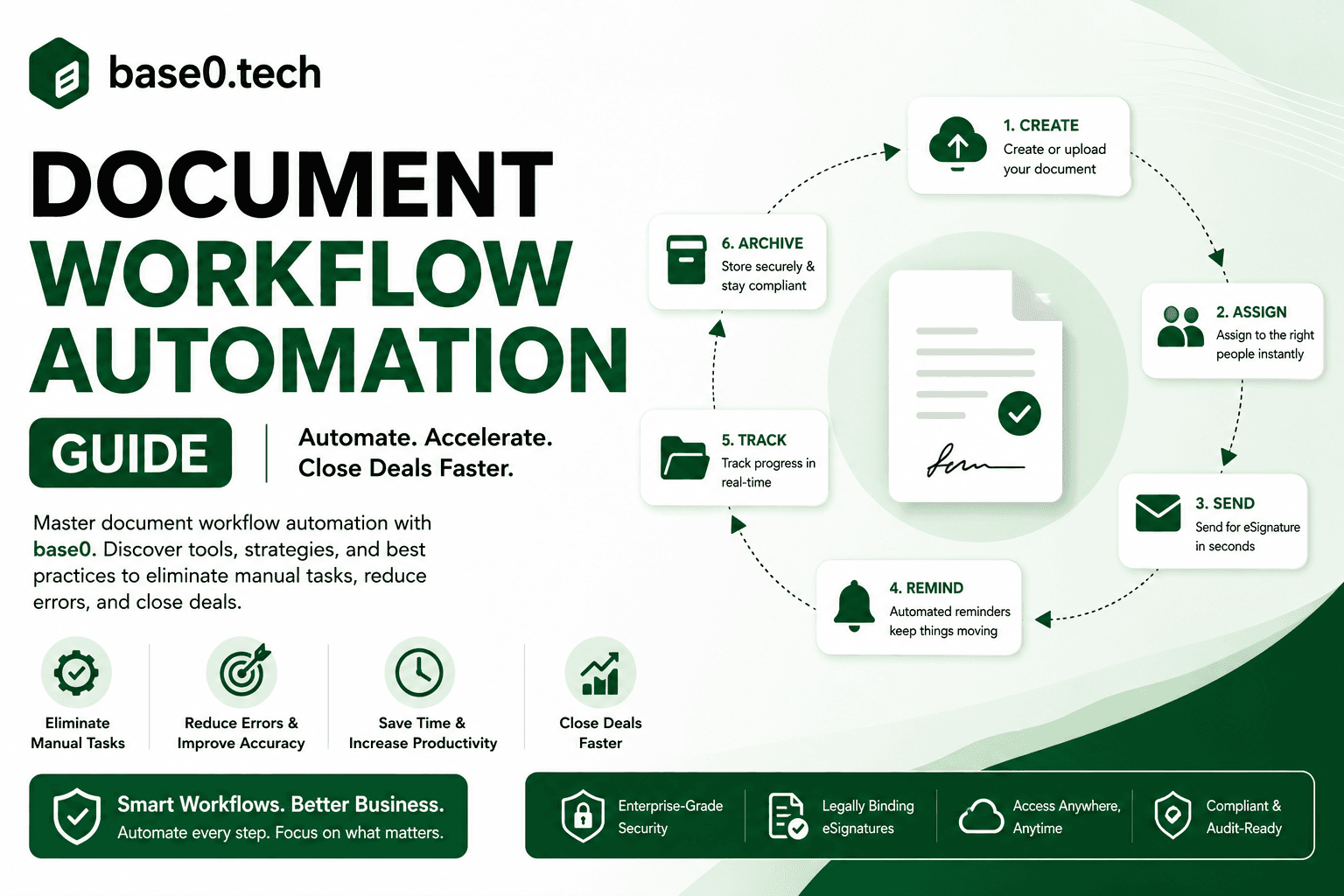
Document workflow automation is no longer a luxury reserved for large enterprises with dedicated IT teams. In 2026, businesses of every size — from solo freelancers to small multi-person teams — are replacing manual, paper-based processes with automated systems that route, review, sign, and store documents without human bottlenecks slowing everything down.
This guide covers what document workflow automation actually is, why it matters, how to implement it, and how to choose the right platform for your team.
What Is Document Workflow Automation?
Document workflow automation is the use of software to manage the movement of documents through a defined process — from creation and review to approval, signature, and storage — with minimal manual intervention. Instead of emailing PDFs back and forth, chasing signatures, or manually filing completed agreements, automation handles the routing, notifications, and record-keeping for you.
At its core, it connects people, documents, and actions in a structured sequence. A contract gets created, routed to the right approvers in the right order, signed electronically, and stored — all without anyone manually managing each step.
Key Components of a Document Workflow
Every document workflow, manual or automated, contains the same fundamental building blocks:
- Document creation — the starting point: a form, template, or uploaded file that kicks off the workflow
- Routing logic — rules determining who receives the document, in what order, and under what conditions
- Review and approval steps — checkpoints where stakeholders read, comment on, or approve before it moves forward
- Electronic signature — the mechanism by which parties formally agree to the document's contents
- Notifications and reminders — alerts that keep things moving when someone hasn't acted
- Storage and retrieval — where completed documents live and how they get found later
- Audit trail — a timestamped record of every action taken on the document
When these components are automated, each step triggers the next automatically — no manual handoffs required.
Manual vs. Automated Document Workflows
The difference between manual and automated workflows is the difference between chasing and tracking.
In a manual workflow, someone creates a document, emails it to the first reviewer, waits, follows up, receives a redlined version, makes changes, sends it to the next person, and repeats. Every step depends on someone remembering to act. Delays compound. Versions multiply. Documents get lost in inboxes.
In an automated workflow, the same process runs on rules. The document goes to reviewer one automatically. If they haven't acted in 48 hours, a reminder goes out. Once they approve, it routes to reviewer two without anyone lifting a finger. When everyone's signed, the completed document is stored and all stakeholders get a copy.
How Automation Fits Into a Broader Digital Strategy
Document workflow automation is one of the most accessible entry points into meaningfully modernizing how a business runs. Unlike a large-scale system overhaul, automating document workflows delivers visible results quickly — faster contract cycles, fewer errors, less administrative overhead — without requiring you to rebuild your whole tech stack.
For most small businesses and freelancers, documents are the connective tissue of the operation. Contracts formalize relationships. Invoices trigger payments. Onboarding forms bring new hires or subcontractors into the fold. When these processes are automated, the gains ripple outward: deals close faster, onboarding goes more smoothly, invoices get processed without manual re-entry. Document workflow automation isn't a standalone initiative — it's a foundation that makes everything downstream more reliable.
Why Document Workflow Automation Matters in 2026
The business case has never been stronger. Competitive pressure, distributed teams, and rising compliance expectations have converged to make manual document processes a genuine liability, even for very small operations.
The Hidden Cost of Manual Document Processes
The direct costs of manual document handling — printing, postage, physical storage — are easy to see. The hidden costs are harder to quantify but far more significant.
Every hour a contract sits in someone's inbox waiting for a signature is an hour of delayed revenue. Every time someone manually re-types data from a form into another system, there's a risk of error and a waste of time better spent elsewhere. Every lost or misfiled document costs someone time reconstructing it. Research on knowledge work consistently finds that a meaningful share of the workweek goes to searching for information and managing documents rather than doing the actual work those documents support — and that overhead scales directly with volume.
Compliance and Risk Pressures Driving Adoption
Regulatory environments across industries have grown more demanding. Financial services, healthcare, construction, and professional services all face expectations around document retention, audit trails, and proof of consent. Manual processes make compliance harder to demonstrate and easier to get wrong.
Automated document workflows create a consistent, repeatable process that generates a complete record by default. Every action — who sent the document, who viewed it, who signed it, and when — gets captured automatically. When a dispute arises, you have a timestamped record of exactly what happened, which is a large part of why electronic signatures hold up legally the way they do.
Remote and Hybrid Work as a Catalyst
The shift to remote and hybrid work permanently changed how documents move through organizations. When everyone was in the same office, you could walk a contract to someone's desk. That option doesn't exist for most teams anymore.
Distributed teams — and solo freelancers working with clients they've never met in person — need document processes that work regardless of location. Electronic signatures, automated routing, and cloud-based storage aren't conveniences anymore; they're baseline requirements.
Core Benefits of Automating Your Document Workflows
Faster Turnaround and Shorter Sales Cycles
The most immediate benefit is speed. When a contract routes automatically to the right people in the right order, with reminders sent to anyone who hasn't acted, the time from "created" to "signed" drops dramatically. A deal that used to take two weeks to close because of back-and-forth contract routing can close in two days when the process runs on its own. For more on why that speed matters directly to revenue, see our guide on closing deals faster.
Reduced Human Error
Manual processes introduce errors at every handoff — the wrong version gets sent, a field gets left blank, someone signs the wrong line, a typo creeps in during manual data entry. Automation eliminates most of these failure points: templates ensure the right fields are always present, required fields prevent incomplete submissions, and automated routing ensures the right version goes to the right person.
Stronger Compliance and Audit Trails
Every automated workflow generates a record of what happened as a natural byproduct — who created the document, when it was sent, who viewed and signed it, and from where. You don't have to remember to build this record; it exists automatically. For organizations with any regulatory exposure, that turns compliance into a default outcome of the process rather than an extra administrative task.
Cost Savings and ROI
The ROI comes from several directions at once: reduced labor from eliminating manual tasks, faster revenue recognition from shorter contract cycles, fewer error-correction costs, and reduced risk from better documentation. When evaluating whether automation is worth it, calculate the fully loaded cost of your current manual process — the time spent creating, routing, following up on, and filing documents, multiplied by what that time is actually worth. For most freelancers and small businesses, the math favors automation quickly.
Types of Document Workflows You Can Automate
Contract creation and approval — Among the highest-value targets. A typical contract workflow involves multiple parties who each need to review and approve before anyone signs; automating it means the contract routes through each approver in sequence, with reminders sent automatically and status visible to everyone. Common candidates: NDAs, service agreements, vendor contracts, client agreements, renewals. Our guide on writing a freelance contract covers what belongs in these documents before they enter a workflow at all.
Invoice and payment processing — Involves document creation, approval routing, and often pulling line items and amounts into a payment system. Automation reduces the time from invoice sent to payment received and removes manual re-entry from the picture.
Client onboarding documents — Recurring documents like engagement letters, intake forms, and service agreements follow predictable patterns — the same fields, the same signers, the same routing — which makes them ideal automation candidates.
Compliance and SLA documentation — Policy acknowledgements, certification renewals, and service level agreements often have strict deadlines and require proof of completion. Automated workflows ensure these go out on schedule with full audit trails. Our step-by-step SLA guide covers building the document itself before automating how it moves.
Sales proposals and quote approvals — Proposals often need internal sign-off — pricing approval, a quick review — before reaching the client. Automating that internal routing means the proposal moves through approval quickly and the client sees a polished, already-approved document. See our guide on sending a client proposal that wins business for the document itself.
How Document Workflow Automation Works, Step by Step
Step 1: Document Creation and Templates
Every automated workflow starts with a document — either an uploaded PDF or a template that pre-populates standard fields. Templates matter most for recurring document types: instead of building a new NDA from scratch every time, you start from a template with the standard fields already defined, which also enforces consistency across every version you send.
Step 2: Routing, Review, and Approval Logic
Once the document exists, routing logic determines who receives it and in what order. In a sequential workflow, it goes to signer one, then two, then three, each step triggered automatically when the previous one completes. In a parallel workflow, multiple parties receive it simultaneously. Routing can also include conditional rules — route high-value contracts to a specific approver first, or bounce back to the creator if a required field is empty.
Step 3: Electronic Signature and Authentication
The signing step is embedded in the process: the recipient gets a link, opens the document, reviews it, and signs in the designated fields. The signature is captured along with a timestamp and identifying information. For most business documents, email-based authentication — the signing link sent to a verified email address — is sufficient; higher-stakes documents may warrant additional verification.
Step 4: Storage, Indexing, and Retrieval
Once everyone's signed, the completed document needs somewhere accessible to live. Good practice means consistent naming conventions, a folder structure that reflects how you actually think about your documents, and access controls that keep sensitive agreements limited to the people who need them.
Step 5: Reporting and Continuous Improvement
Automation generates data — how long each document took, where it got stuck, who needed multiple reminders. That data is the raw material for improvement. If documents consistently stall at a particular step, investigate why. If certain document types take noticeably longer than others, look for the bottleneck. The goal is a workflow that gets faster and more reliable over time, not a one-time setup you never revisit.
Key Features to Look for in a Document Workflow Platform
A workflow builder that doesn't require code — Not every freelancer or small team has a developer on hand. A visual interface for defining routing rules, setting up templates, and configuring approval sequences matters more than a feature list full of things you'll never touch.
Legally binding e-signature capabilities — Electronic signatures are only valuable if they're enforceable. In most jurisdictions, they're legally valid under frameworks like the U.S. ESIGN Act and UETA. Look for a platform that captures what supports validity: timestamp, identifying information, and a complete audit trail.
Sensible access controls — Different people need different levels of access. A platform that lets you define those boundaries clearly, even at small scale, saves headaches as a team grows.
A real integration path — Whether that's pre-built connectors or an API, you want a way to connect document workflows to the rest of your stack rather than a dead end.
Visibility into what's actually happening — Real-time status, completion rates, and turnaround times. The more visibility you have into how your workflows are performing, the better positioned you are to improve them.
How Base0 Powers Document Workflow Automation
Base0 is built for freelancers and small businesses that need reliable document and signing workflows without the complexity or cost of enterprise platforms. Here's how it maps to the core requirements above.
A Straightforward Workflow Setup
Base0 lets you configure signing workflows through a simple interface — generate or upload your document, add signature and form fields, define recipients, and set the signing order. Reusable templates (3 included on the Basic plan) mean you configure a workflow once and reuse it every time that document type comes up, with no code required.
Multi-Party Signing and Sequential Routing
Base0 supports sending a document to multiple recipients with a defined signing order — the right people sign in the right sequence without anyone manually managing the handoffs between them.
Real-Time Tracking and Notifications
You can see whether a document has been sent, viewed, signed, or declined. On the Pro plan, real-time Slack and Discord webhooks push that status directly into a channel your team already watches, and flexible workflow envelope re-routing gives you room to redirect a document mid-process if circumstances change.
Templates for Recurring Business Documents
Base0's reusable templates let you standardize the documents you send repeatedly — retainer agreements, NDAs, client contracts — so every instance follows the same format and routing.
Base0 Pricing
- Basic — $0/month: 50 documents/month, 3 system templates, standard email support, no credit card required
- Pro — $9/month: Everything in Basic, plus unlimited document generation, real-time Slack & Discord webhooks, flexible workflow envelope re-routing, and priority handling support
- Enterprise — $29.99/month: Everything in Pro, plus full-suite white labeling, deep Salesforce CRM automation sync, dedicated 24/7 account management, and a personalized developer API sandbox key — the tier to reach for once you want document workflows connected directly into a CRM pipeline rather than run as a standalone process.
Implementation Guide: Rolling Out Document Workflow Automation
Phase 1: Audit and Map Existing Processes
Before automating anything, understand what you're automating. Identify every document type you regularly create, route, and store, and map the current process for each: who creates it, who reviews it, who signs it, where it ends up. This surfaces inefficiencies you might not have noticed — unnecessary approval steps, duplicated work, processes with no clear owner — and helps you prioritize which workflows to tackle first.
Phase 2: Define Goals and KPIs
Automation without measurement is just change. Useful KPIs include: average time from document creation to completion, percentage of documents completed without manual follow-up, error rate (incomplete fields, missing signatures), and time spent per document by whoever handles admin work. Set a baseline for each before you launch so you can actually demonstrate the impact afterward.
Phase 3: Select and Configure Your Platform
Choose a platform that matches your current needs with room to grow. For most freelancers and small teams, the right starting point is strong e-signature capabilities, reusable templates, sequential signing, and real-time tracking — all available on Base0's free Basic plan. Configure your highest-priority workflows first, build templates for your most common document types, and test end to end before rolling out further.
Phase 4: Pilot and Gather Feedback
Run a pilot with a small, low-risk workflow before full rollout — important enough to generate useful feedback, not so critical that mistakes cause real problems. Collect input from everyone who touches it: senders, approvers, signers.
Phase 5: Full Deployment and Ongoing Optimization
Once your pilot is refined, roll out fully, communicate clearly about what's changing, and make it easy for people to ask questions. After deployment, review your KPIs regularly and look for workflows that are still underperforming. As comfort with automation grows, look for the next process worth automating — the gains compound.
Common Challenges and How to Overcome Them
Resistance to change. The most common reason automation projects stall isn't technical — it's human. People are comfortable with existing processes, even inefficient ones. The fix is making the new process obviously easier than the old one, starting with the workflow where the current pain is most visible. When people feel the difference firsthand — no more chasing signatures, no more lost documents — adoption follows naturally.
Legacy system integration. Many organizations have document processes entangled with older systems. The practical approach: automate the signing and routing process first, even if completed documents are initially stored manually, then tackle integration as a second phase. For programmatic connections to existing systems, Base0's Enterprise tier provides a developer API sandbox key and direct Salesforce sync.
Data security concerns. Documents often contain sensitive information, and moving workflows to a cloud-based platform raises fair questions about where data lives and who can access it. Evaluate any platform on encryption in transit and at rest, access controls, and audit logging before committing.
Cross-jurisdiction compliance. Organizations operating across multiple regions face varying electronic signature requirements by country and document type. The practical approach is working with legal counsel to understand the requirements for each jurisdiction you operate in, and maintaining complete audit trails for every signed document — the timestamped record of who signed, when, and from where is the foundation of enforceability in most jurisdictions.
Best Practices and Where This Is Headed
AI-powered classification and extraction. AI is making document workflows smarter — automatically identifying document types and routing them appropriately, or pulling structured data out of unstructured documents to eliminate manual entry from invoice processing and similar tasks. As this matures, the line between document workflow automation and broader process automation keeps blurring.
Connecting workflows end to end. The path toward fuller automation usually starts with automating individual workflows, then connecting them — a contract workflow feeding a CRM update, an invoice workflow feeding a payment record. Each connection removes a manual handoff and creates a more reliable, auditable process.
Treat it as a living system. The most effective teams review workflow metrics regularly, solicit feedback from everyone who touches the process, update templates when requirements change instead of working around outdated versions, and stay current with platform updates that might solve a pain point they've been living with.
If you're starting from scratch, the most useful thing you can do is start small: pick one workflow, automate it, measure the results, and build from there. Each workflow you automate frees up time and attention to automate the next one — that compounding effect is how a business moves from manual, error-prone document handling to something genuinely reliable.
FAQ
What's the difference between document management and document workflow automation? Document management is about how documents are stored, organized, and retrieved — the archive. Document workflow automation is about how documents move through a process — creation, routing, review, approval, signature, storage. They're related but distinct: document management tells you where your documents are; workflow automation tells you how they got there and makes sure they get there reliably. Many businesses use both — automation for the active process, management for the completed archive.
Is document workflow automation worth it for a small business or solo freelancer? Yes — and small operations often benefit more than large ones, since every hour of administrative overhead represents a bigger share of total capacity when there's no separate admin team. A one- or two-person business that automates its contract-signing workflow recovers real time that goes back toward billable work. Base0's free Basic plan makes this accessible from day one: 50 documents a month, reusable templates, and core signing features at no cost, no credit card required.
How secure are automated document workflows? Security depends on the platform and how you configure it — encryption in transit and at rest, access controls limiting who can view and act on documents, and a complete audit trail recording every action taken. Look for a platform that captures a timestamped record of who sent, viewed, and signed a document, and when, as a default part of every send rather than a paid add-on.
How long does it actually take to implement? For straightforward signing workflows — uploading a template, defining recipients, setting a signing order — you can be running in under an hour. More complex workflows with multiple approval steps and system integrations can take days to weeks. The practical approach: start with your simplest, highest-volume workflow, get it running fast, and add complexity incrementally. Most people see their first automated workflow live within a day of starting.
Can document workflow automation connect to tools I already use, like Salesforce? It depends on the platform and plan. Base0's Enterprise tier includes deep Salesforce CRM automation sync directly, and a personalized developer API sandbox key for connecting to other systems. The Pro tier's Slack and Discord webhooks cover real-time notifications for teams that live in chat tools rather than a formal CRM. If you need pre-built connections to a specific platform not covered here, it's worth checking what's supported directly versus what would need to be built.
Are electronically signed documents from an automated workflow legally binding? In most jurisdictions, yes, for the majority of commercial documents. In the U.S., the ESIGN Act and UETA establish the legal framework; similar frameworks exist in the EU, UK, Canada, Australia, and many other countries. The key factors supporting enforceability are the signer's intent, their consent to do business electronically, and a reliable record of the signing event — which is exactly what a timestamped audit trail provides. Certain document types (wills, some real estate transactions, specific government filings) may have requirements beyond standard electronic signature — consult legal counsel where enforceability is critical to your specific document type and jurisdiction.
Ready to automate your document workflows without paying per envelope? Base0's free Basic plan includes 50 documents a month, reusable templates, and core signing features — no credit card required.